

Kleeja 4: What's New and What Changes When You Upgrade

Kleeja 4 is the biggest release we have shipped in years. We rebuilt the control panel from scratch, redesigned the Bootstrap style to make it the default, rewrote the template engine and the updater, and cleaned the database of columns Kleeja no longer reads.
Some of these changes break compatibility with plugins and styles written for Kleeja 3. This post has four parts: what's new in Kleeja 4, the plugins available for it, what may break after you upgrade, and how to upgrade safely. If your site runs Kleeja 3, read the last two parts before you start.
What's new in Kleeja 4
A new control panel called Damask
Damask replaces Masmak, the control panel theme that has served Kleeja for many years. It is built on Bootstrap 5.3 and Font Awesome 7 without jQuery, works in both Arabic and English in either direction, and adapts to phone screens.
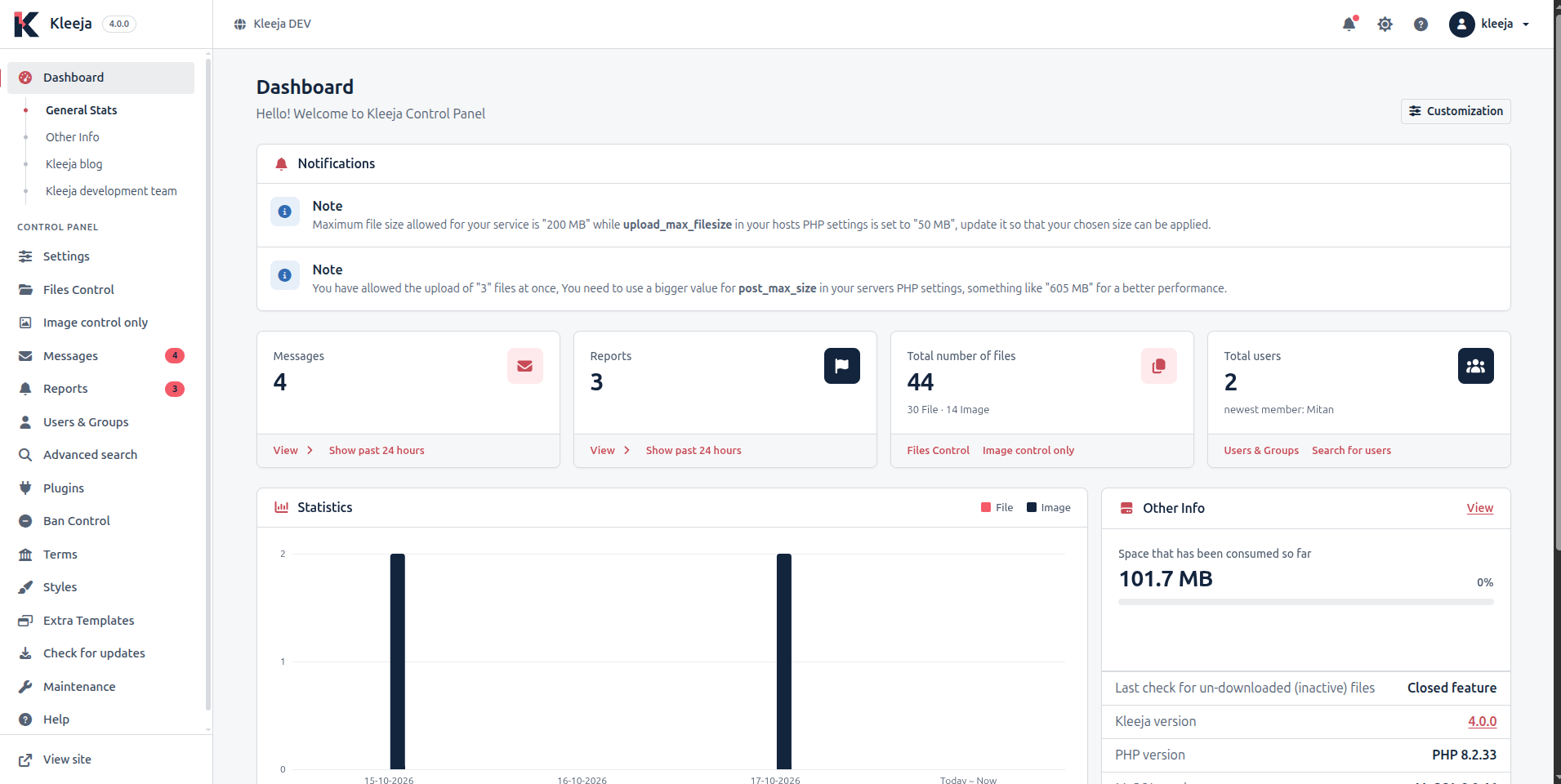
Here is what you will find in it:
- A light mode, a dark mode and an automatic mode that follows your device setting.
- A dashboard where you choose which boxes appear, with a chart of uploads.
- Bulk selection in tables, and copy buttons for values like the cron link.
- A "Kleeja blog" tab on the dashboard that shows the latest posts from this blog in your panel's language.
- A redesigned "Kleeja development team" page that shows the contributors and the project's activity on GitHub in charts.
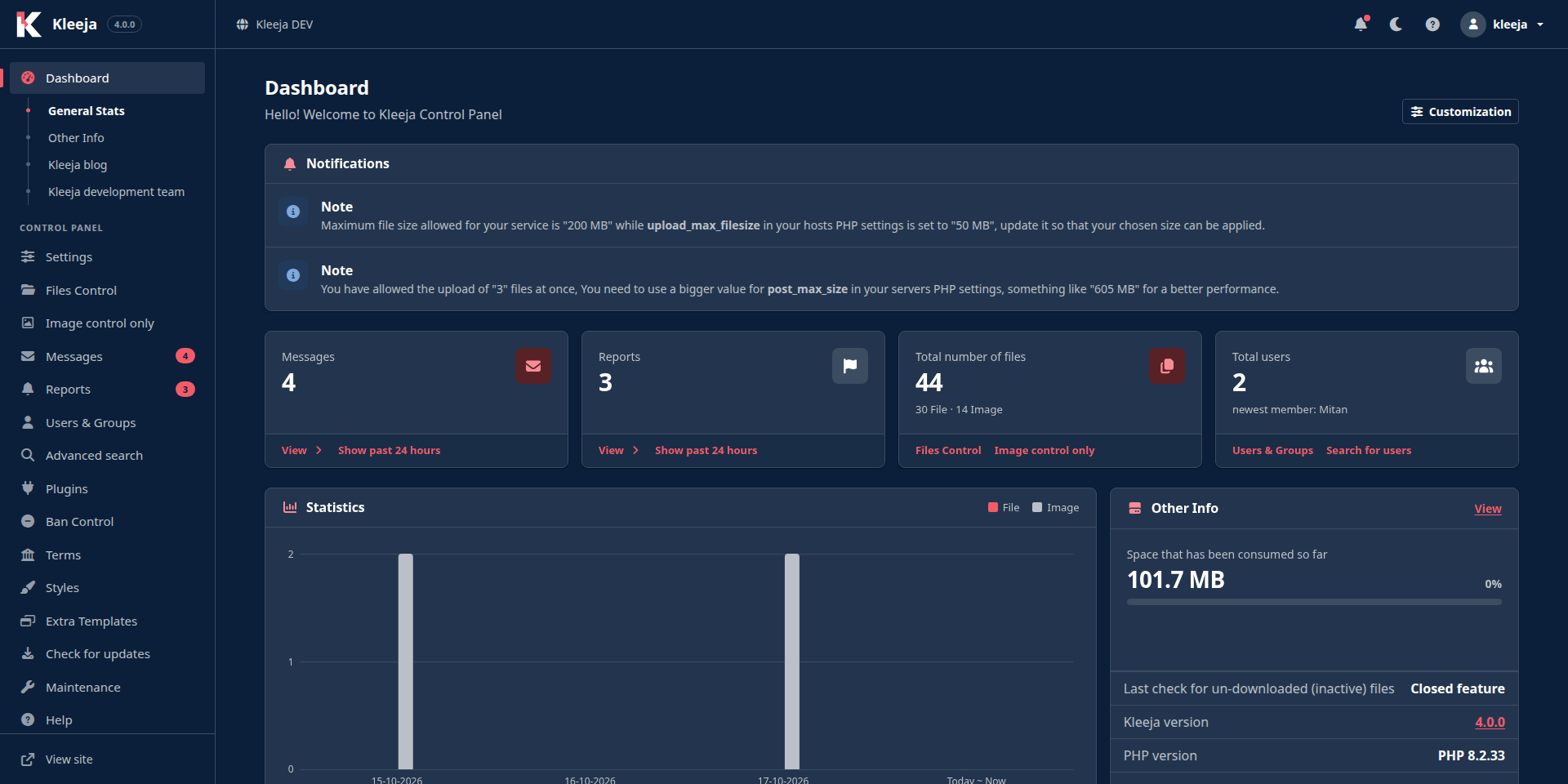
A Help page inside the control panel
A new "Help" page sits at the end of the side menu. It has a guide for every control panel page that explains what the page does and how to use it, with tips, warnings and frequently asked questions. It also has general guides, including "First steps after installing", "A routine for running your service", "Keep your service safe" and "Troubleshooting".
The help button in the top bar opens the guide of the page you are on. The search on the Help page ignores Arabic diacritics and the different forms of a letter, so "اضافه" finds "إضافة". Press / to jump to the search box.
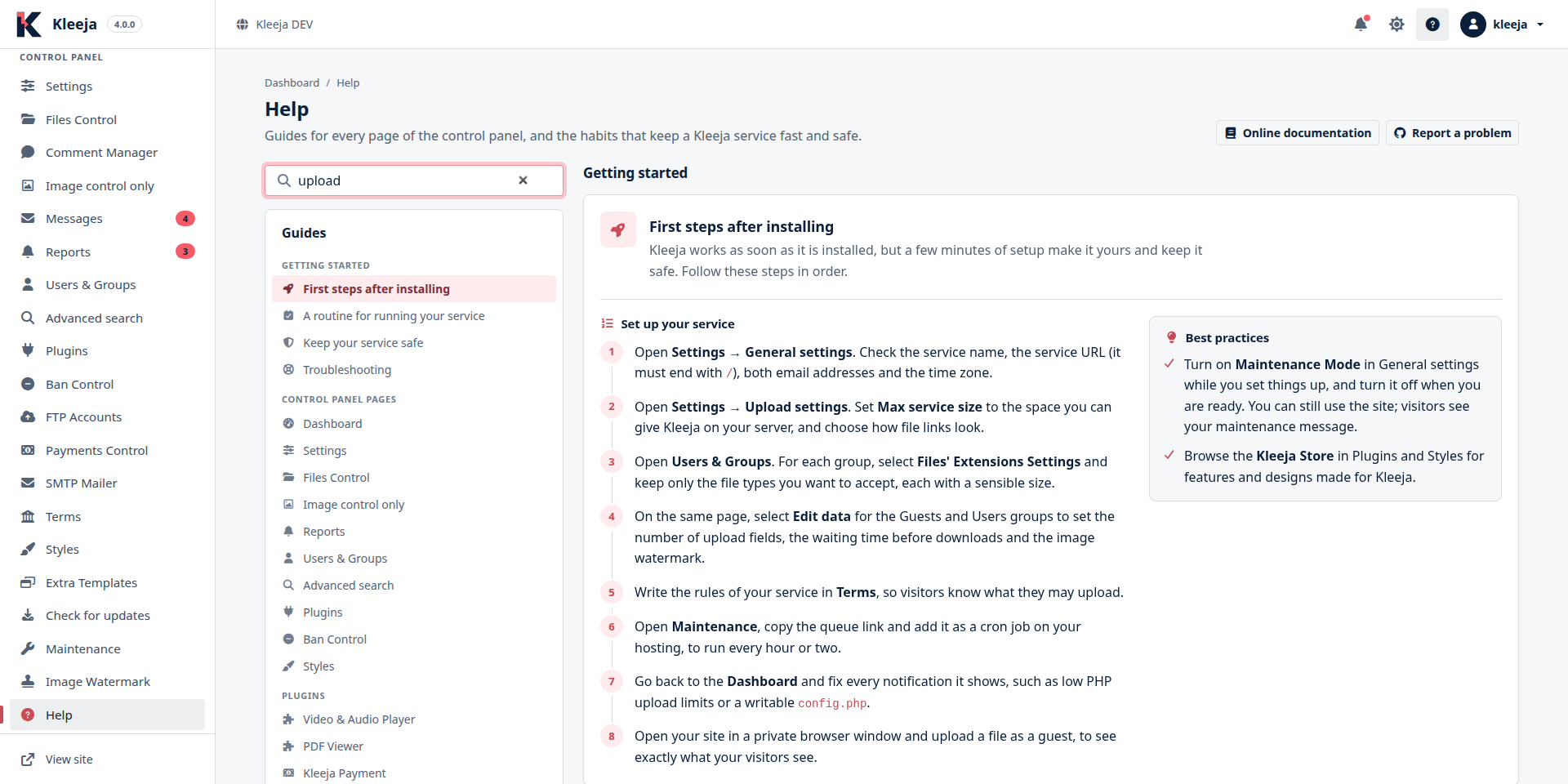
Installed plugins appear on this page too, with their description and a link to their settings. Plugin developers can write a full guide for their plugin, and the developers section below shows how.
A new Bootstrap style, now the default
We redesigned the Bootstrap style from the ground up on Bootstrap 5.3 with the Kleeja brand colors. It is now the default style for new sites, and the fallback style too: when the active style is missing a template, Kleeja takes it from Bootstrap.
What your visitors notice:
- Light, dark and automatic modes, which visitors pick from the top bar.
- The upload form checks the file type and size before it sends the file, so visitors don't wait for an upload the server will reject.
- Copy buttons next to file links after an upload.
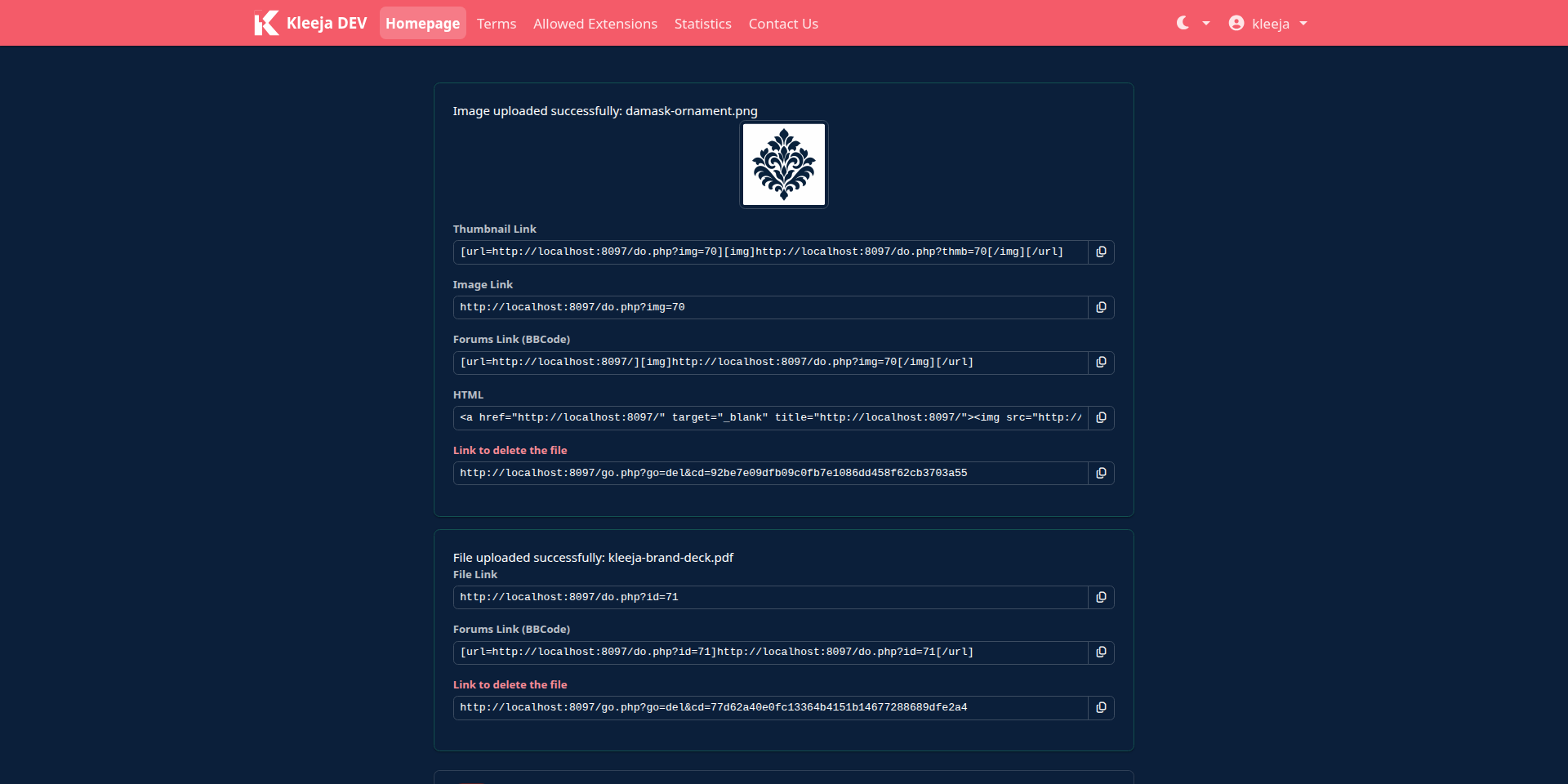
The style no longer carries its own copies of Bootstrap and jQuery. It loads Bootstrap and Font Awesome from includes/static_shared_files, a folder it shares with the control panel.
The old Default style has left the Kleeja core, and its new version lives in the store as og_default. We come back to it in the breaking changes section.
A safer updater
An upgrade that fails halfway is worse than no upgrade, so we rewrote the updater. The new updater:
- Checks that every file it will replace is writable before it touches any file, and lists the files whose permissions you need to fix.
- Saves the files it replaces or deletes in
cache/backup.zip, and restores them if copying any file fails. - Deletes files of the old version that are no longer part of Kleeja, such as the folder of a replaced control panel theme.
- Closes the site for maintenance during the upgrade, then puts it back the way it was, so it never opens a site you had closed yourself.
- Stops at the first failed database update, shows you the error, and continues from there on the next try.
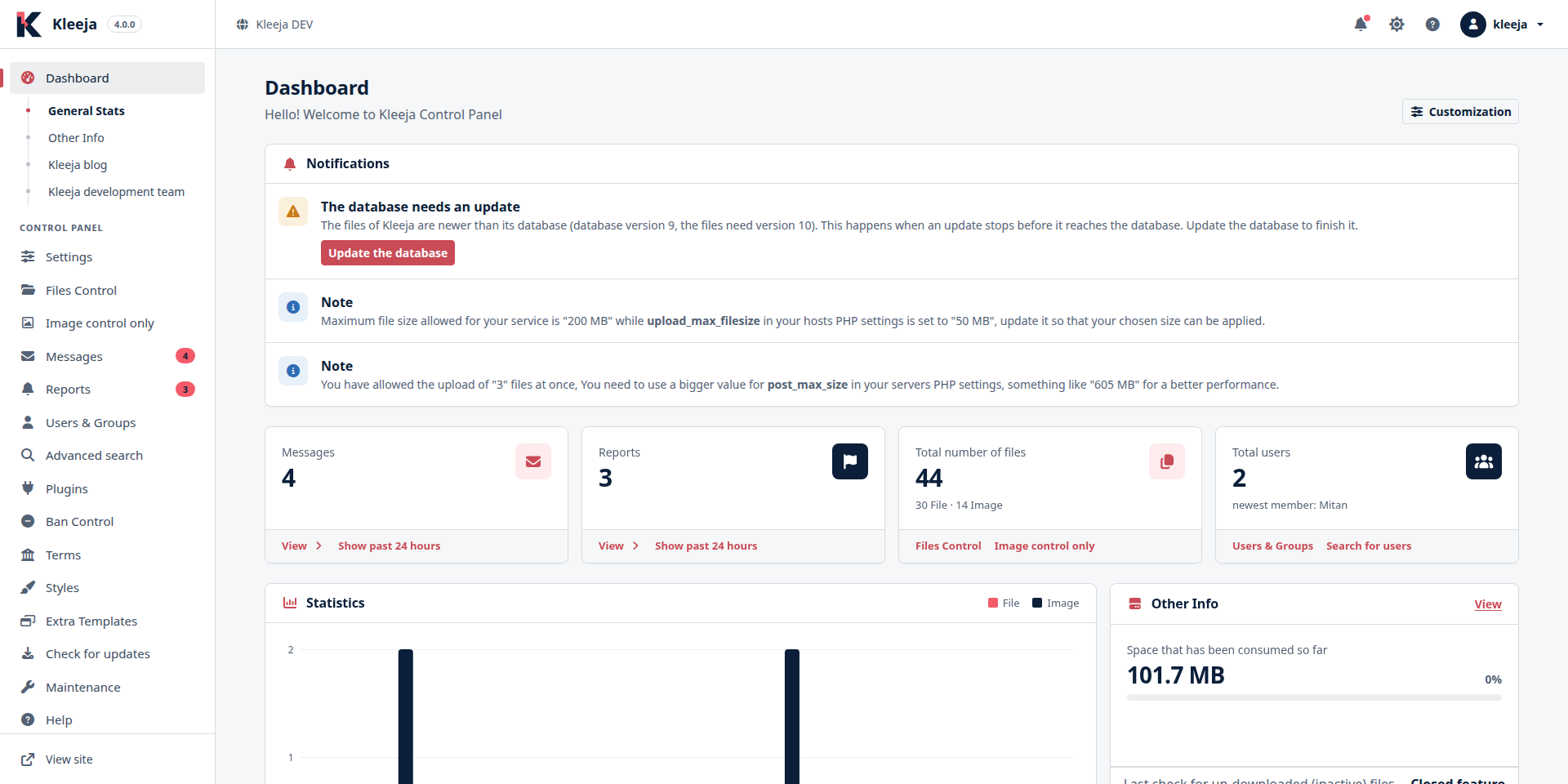
- If an update stops after it copies the files but before it finishes the database, founders see a notice on the dashboard with an "Update the database" button that finishes the job.
- Reminds you to update your plugins and styles after the upgrade, with two buttons that take you to their pages.
A store for Kleeja 4
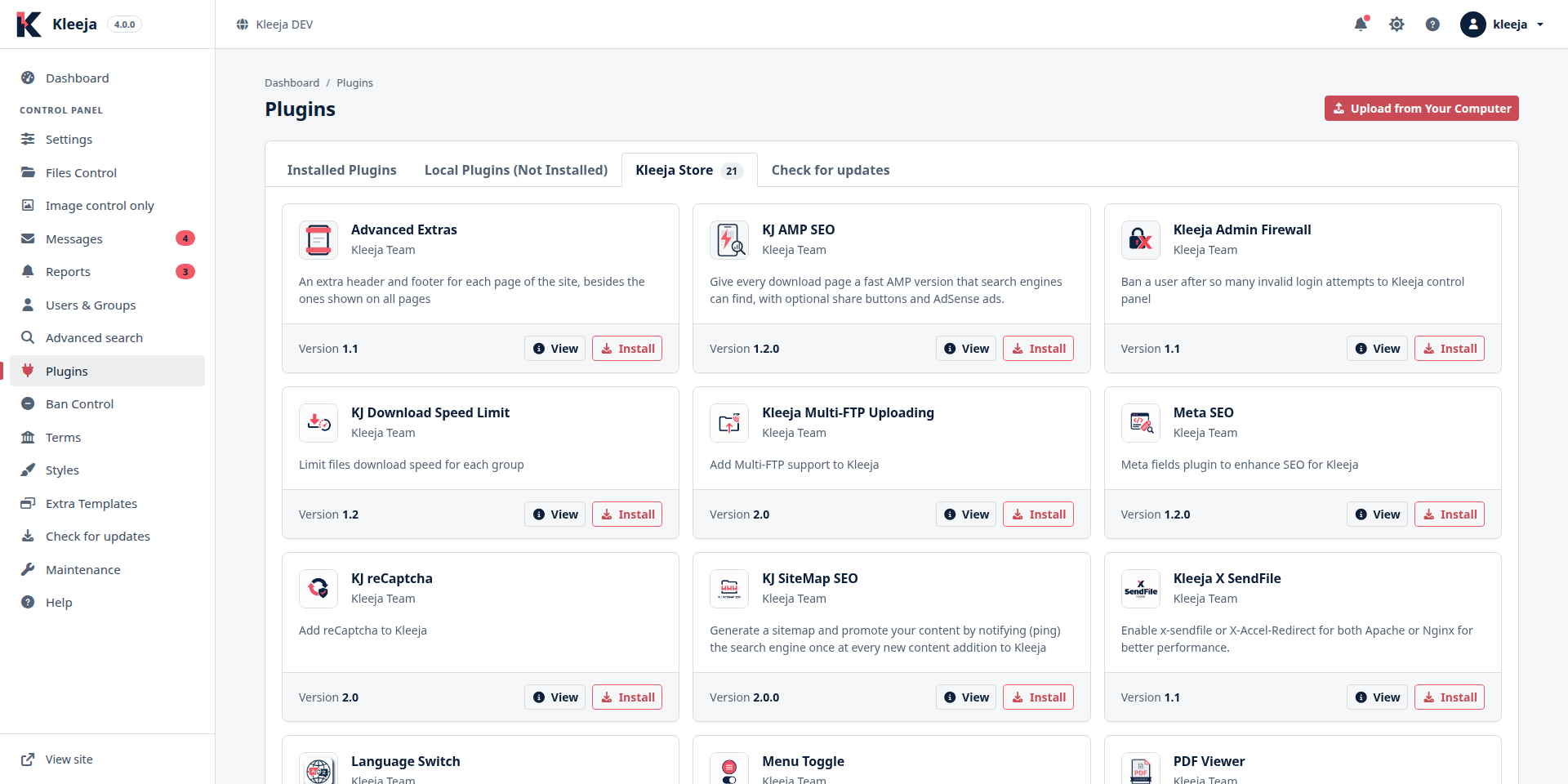
Kleeja 4 has its own list in the plugin and style store: the kleeja-4-catalog.json file in the kleeja/store-catalog repository. The store now shows only the plugins and styles that are compatible with your Kleeja version, so you won't install a plugin only to find out it doesn't work.
Redesigned emails
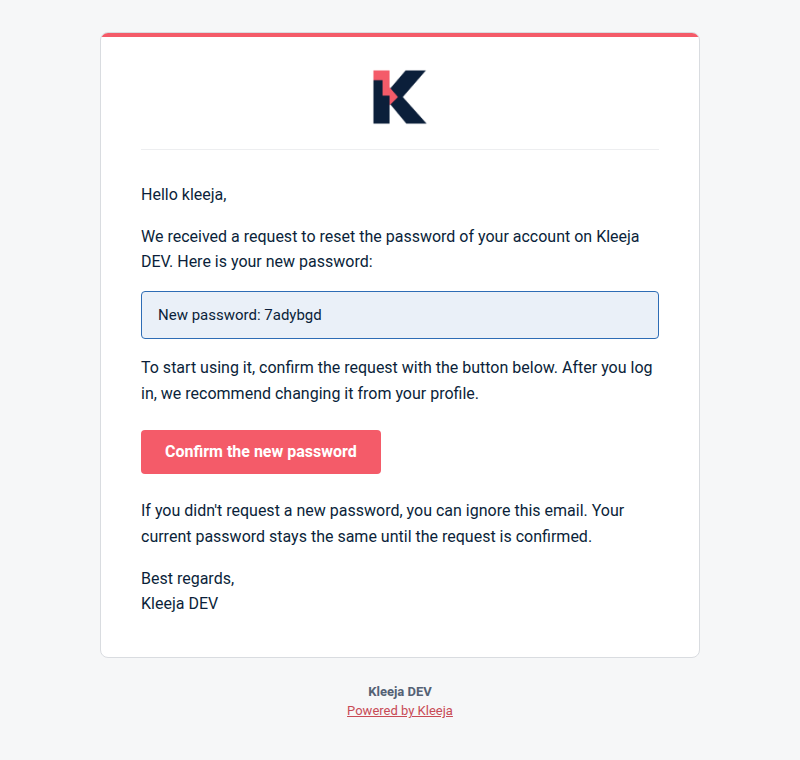
Kleeja now sends its emails as HTML, with a plain text copy for mail apps that don't show HTML. We rewrote the password reset emails, the notifications for new reports and contact messages, and the admin replies to them. They are clearer now, and their buttons take the recipient to the right page.
A captcha with the Kleeja brand
We redrew the captcha image with the Kleeja colors and logo. It is now as tall as a form field, and each character is drawn at its own angle.

A new template engine
The template engine is the part that turns the .html files of a style into PHP code. We rewrote it to be safer and clearer about errors:
- It runs no PHP code that it didn't write itself. A condition that contains PHP code counts as false, and a warning says so.
- If you forget to close an
<IF>or a<LOOP>, it tells you the template name and the line number instead of showing a cryptic PHP error. - It saves compiled templates in a way that never lets another request read a half-written file.
- Nested loops (a
<LOOP>inside a<LOOP>) work without the inner loop overwriting the values of the outer one. - It adds output filters:
|eto escape HTML,|urlfor links,|jsfor JavaScript values and|intfor numbers.
Fixes your visitors notice
- Resuming downloads works properly now, so a download manager can finish a file whose download was interrupted.
- Arabic file names stay intact when a file is downloaded, in every browser.
- Double-encoded text is gone, like
&amp;or"showing up in file, user and group names and in messages. We fix it when the text is displayed, without changing your data. - If you installed Kleeja on
http://and enabled HTTPS later, Kleeja switches your site link in the settings tohttps://on its own. - Members stay logged in after they change their name, email or password from their profile.
- The report form accepts only links that start with
httporhttps. - Banning members by name works with names that contain special characters.
- Protected action links in the control panel, like delete links, stay valid for an extra hour, so Kleeja doesn't reject one just because you opened the page a few minutes before the hour changed.
What came after Kleeja 3.2.7
Kleeja 4 is the first release after 3.2.7, so it also includes the work we did since then that hasn't been released yet:
- The database layer moved to PDO, and queries now pass values as bound parameters instead of putting them in the query text.
- A new error page with the Kleeja brand.
- A redesigned installer with a dark mode, which loads its files from your server instead of a CDN.
- Uploading a plugin from a zip file as GitHub generates it for repository releases.
Cleanup
We dropped database columns that Kleeja no longer reads: the old visit counters in the stats table, the session_id column in the users table, and five columns in the plugins table. We also deleted old files that nothing uses anymore, and dropped Internet Explorer support in the control panel.
Plugins for Kleeja 4
Every official plugin has its own repository on GitHub with its own releases, and the store installs the release that the Kleeja 4 catalog lists for it. We released new versions of the official plugins for Kleeja 4, and every one of them:
- Works with Kleeja 4, PHP 8.2 and the new database layer.
- Has settings pages redesigned for Damask, split into tabs.
- Has a full guide on the Help page, in Arabic and English.
- Has an icon that shows in the store and on the Help page.
Two new plugins
- Kleeja SMTP Mailer (
kj_smtp_mailer) 1.4 sends all of Kleeja's mail through your own SMTP server instead of the PHP mail function, so password recovery messages and your replies stay out of spam folders. It fills in the settings of Hostinger or Gmail in one click, and its test tab checks your settings, sends a test message and shows the reason when the server refuses it. It sends the messages in Kleeja's new email design, and sets the visitor's address as the reply address of message and report alerts.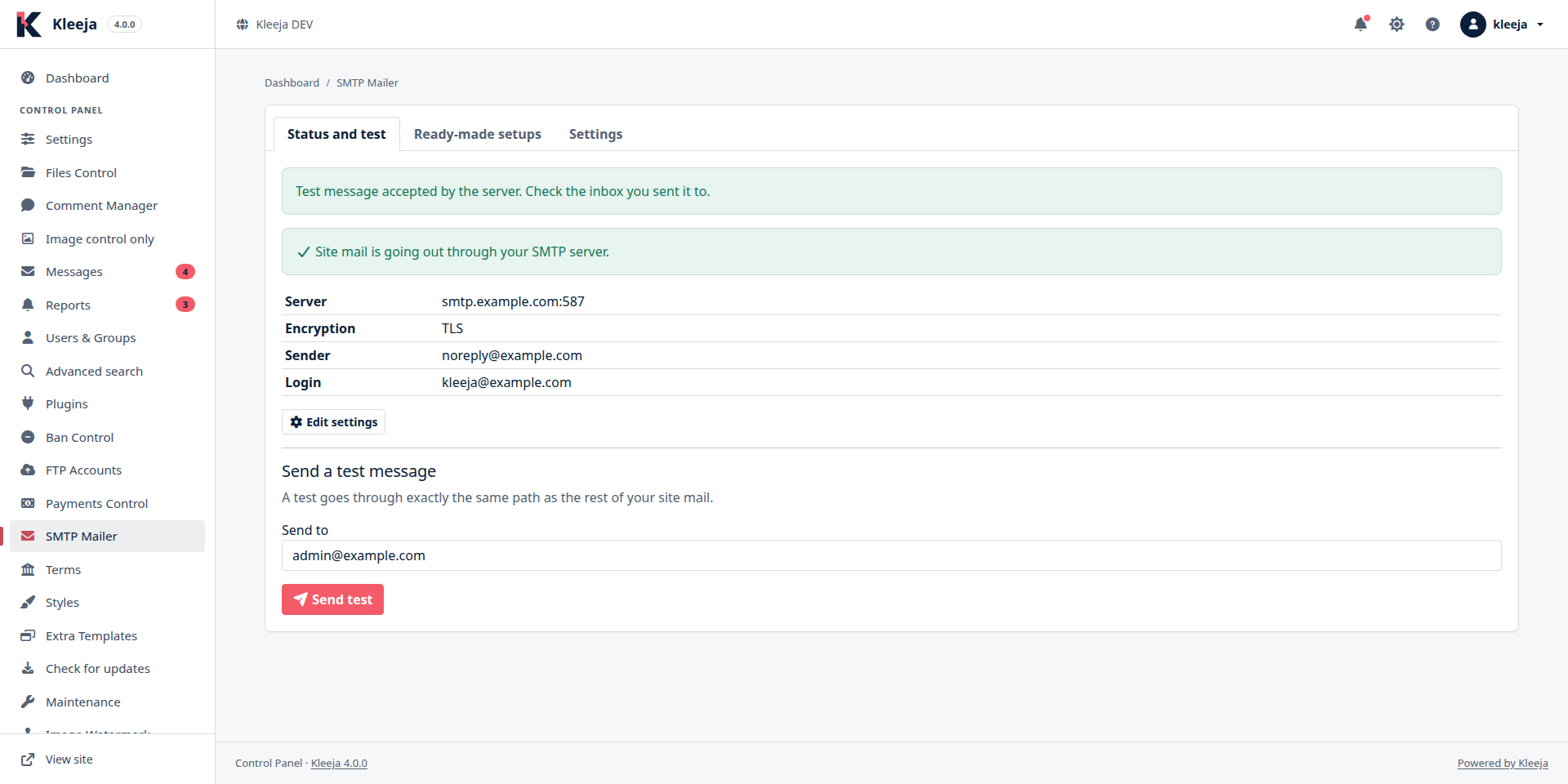
- Kleeja Advanced Stats (
kleeja_advanced_stats) 1.3 reports what happened on your service between two dates: uploads, storage, downloads, messages, reports and new users, compared with the period before, with charts. It shows the most downloaded, largest and most reported files, when people upload by hour and by day, and saves the report as a PDF in your browser. Other plugins can add their own stats in a tab of their own, as Kleeja Payment does.
Plugins with new features
- PDF Viewer (
pdf_viewer) 2.0 has a new viewer built on Mozilla's PDF.js, replacing the old one. It has a toolbar to move through pages and zoom, full screen and a presentation mode, and visitors can select and copy the text. It opens large files fast because it reads the pages it shows first, and it follows the page language and dark mode.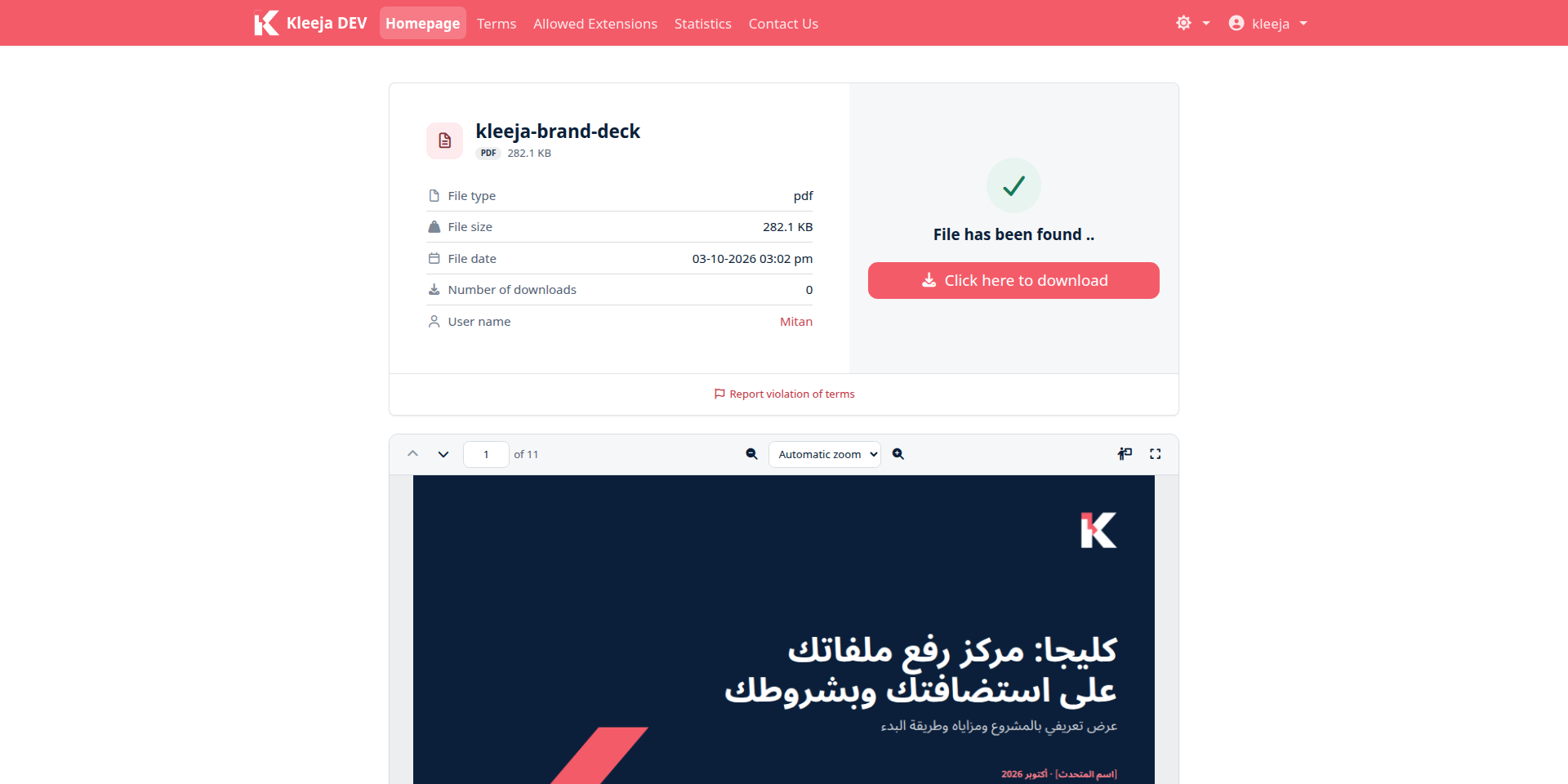
- Video & Audio Player (
video_player) 2.1 moves to the latest Video.js. It has playback speed, picture-in-picture and keyboard shortcuts, double tap on touch screens to skip back or ahead, and a compact bar for audio files. The video box takes the shape of the video, so a portrait phone video isn't drawn small.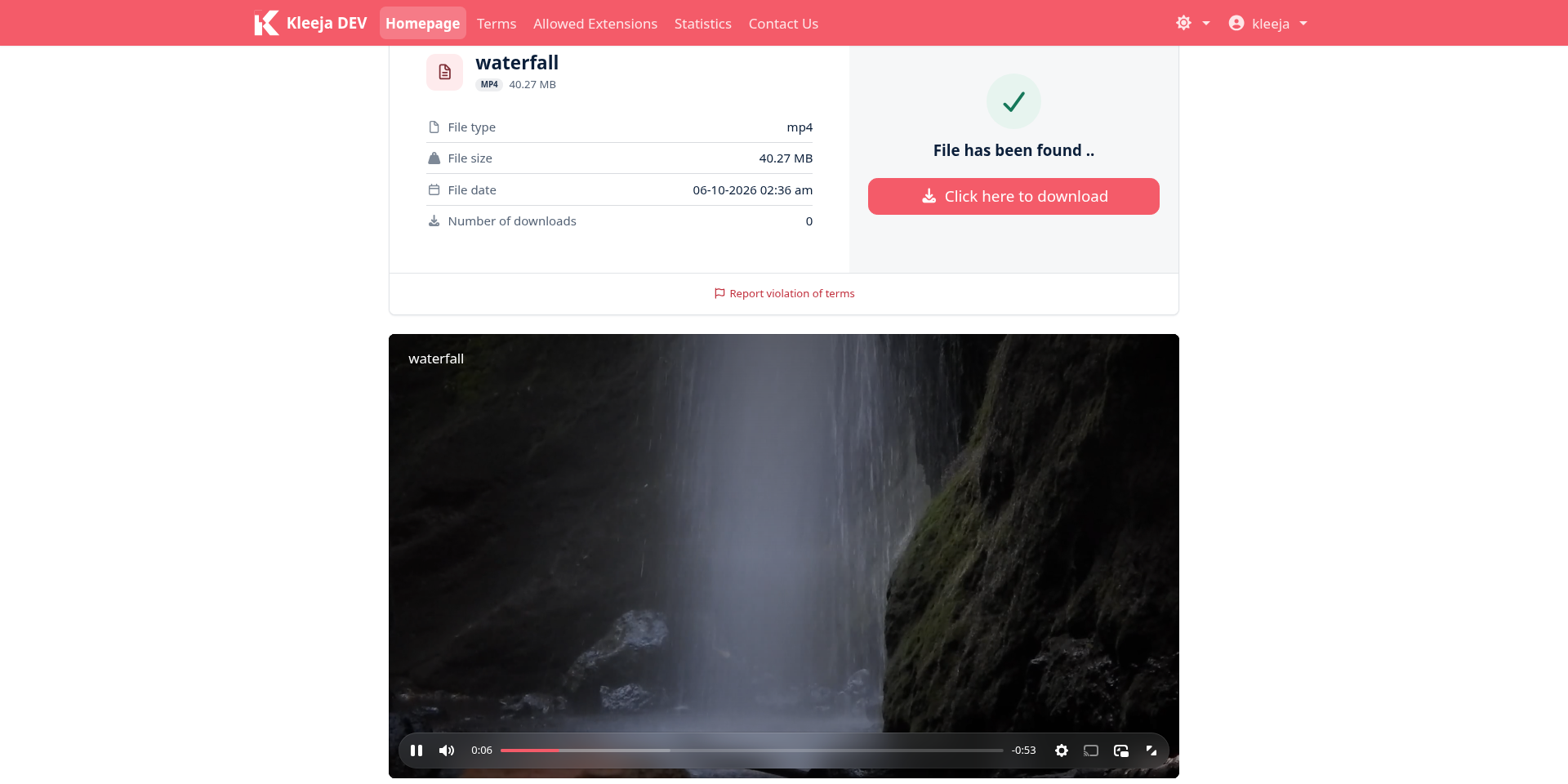
- Kleeja Multi-FTP Uploading (
kj_ftp) 2.0 adds a "Connection test" tab that checks an FTP account from end to end: the host, the port, FTPS, the sign-in, the root folder, uploading and deleting a file, and the public link. It names the setting that is wrong. Each account supports FTPS and passive mode, and the video player and PDF viewer play files stored on FTP servers.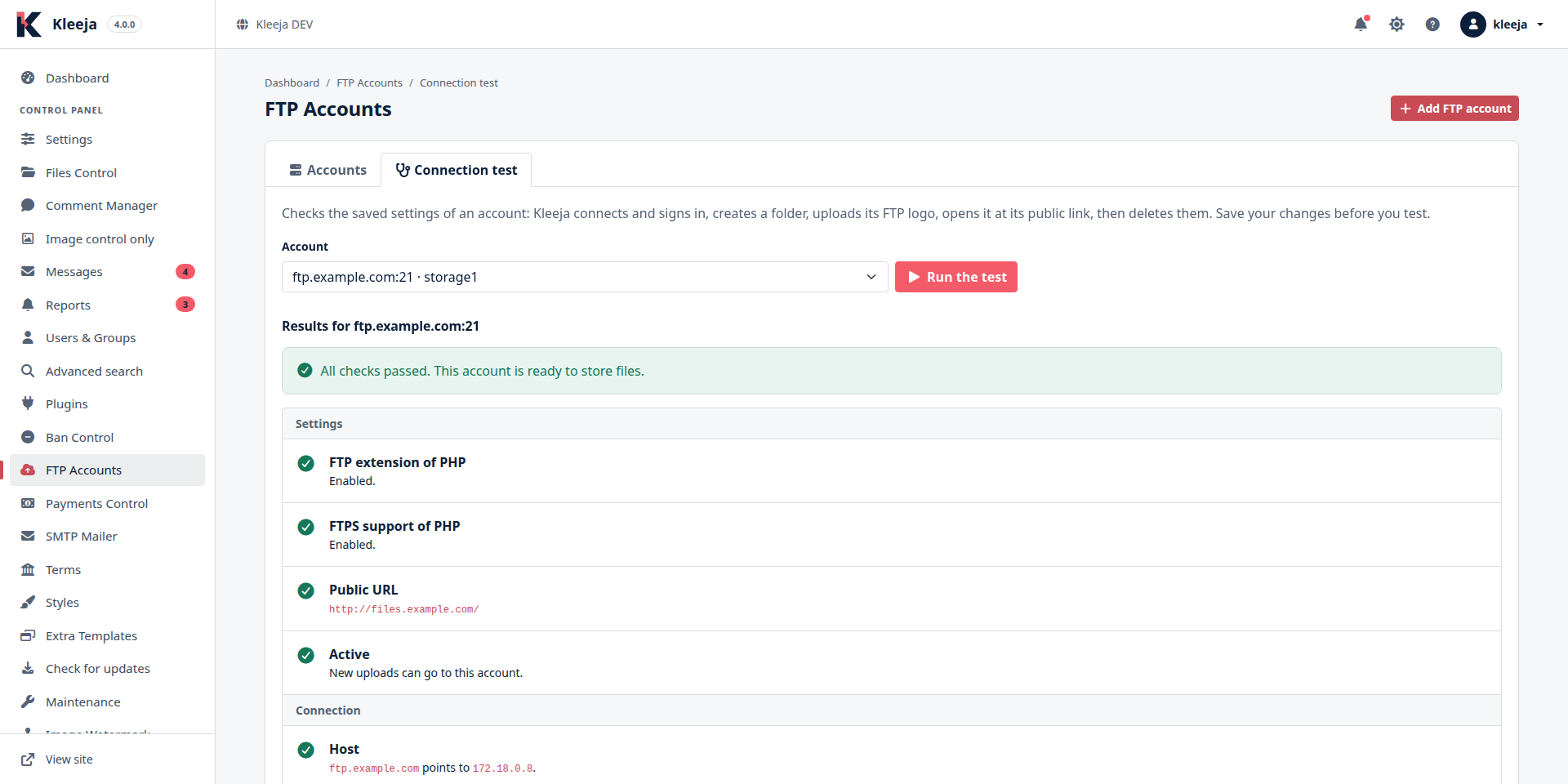
- Kleeja Payment (
kleeja_payment) 2.0.4 shows the payment options as cards, sends clearer emails to buyers, adds its payment stats to Kleeja Advanced Stats, and supports theog_defaultstyle. The PayPal and Stripe libraries come inside the release package that the store installs. - KJ Comment (
kj_comment) 1.1.4 deletes the comments of a file along with the file, whether you delete it from the control panel, its uploader deletes it, or it is removed by its deletion link or by the cleanup of old files.
The other plugins
We ported these plugins to Kleeja 4 with the shared improvements above:
| Plugin | Version | What it does |
|---|---|---|
KJ reCaptcha (kj_recaptcha) | 2.0 | Replaces the security code with Google reCAPTCHA (v2 checkbox, invisible badge or v3) and protects the control panel login |
Kleeja X SendFile (kj_x_sendfile) | 1.1 | Hands file transfers to Apache or Nginx, so a long download doesn't keep a PHP process busy |
Advanced Watermark (advanced_watermark) | 1.2 | Stamps images with your logo or a line of text, with a preview before your visitors upload anything |
Kleeja Admin Firewall (kj_ban_admin) | 1.1 | Bans an IP address after 10 wrong passwords at the control panel sign-in |
KJ Download Speed Limit (kj_download_speed_limit) | 1.2 | Sets the download speed of each group |
Meta SEO (kj_meta_seo) | 1.2.0 | Adds a description, keywords, Open Graph and X Card tags to every page |
KJ AMP SEO (kj_amp_seo) | 1.2.0 | Gives every download page a fast AMP version, with share buttons and AdSense ads |
KJ SiteMap SEO (kj_sitemap_seo) | 2.0.0 | Publishes an XML sitemap of the 100 latest files and images |
Language Switch (language_switch) | 2.0 | Adds a language menu to the top of every page, next to the color mode menu in the Bootstrap style |
Advanced Extras (advanced_extras) | 1.1 | Gives each page its own extra header and footer |
Breaking changes
For site owners
PHP 8.2 is now the minimum
Kleeja 4 doesn't run on PHP older than 8.2, while Kleeja 3.2.7 ran on PHP 8.0. If you upload Kleeja 4 to a server that runs PHP 8.0 or 8.1, your site shows an error page instead of its pages.
All plugins are disabled after the upgrade
The Kleeja 4 database update disables every installed plugin. Kleeja 3 plugins weren't written for this release, and running them without an update can bring down the whole site. Their data and settings stay in the database, and you enable each plugin again after you update it.
Most store plugins have a Kleeja 4 version, listed in the "Plugins for Kleeja 4" section above. At the time of writing, these plugins don't have one yet: menu_toggle, rebrandly, vbulletin_integration, phpbb_integration, thumbs_generator and kjp_account_charger. If your site depends on one of them, wait before you upgrade.
The Default style has left the core
The database update deletes the styles/default folder. If your site uses Default, or a style built on it, the update downloads og_default from GitHub and switches your site to it. If the download fails, it switches your site to Bootstrap.
As a result, a custom style built on Default doesn't stay active after the upgrade, and any change you made inside the styles/default folder itself is deleted.
Masmak is gone
We removed the old control panel theme, Masmak. Plugin pages in the control panel were written for it with Bootstrap 4 and jQuery, and Damask doesn't load jQuery. Damask converts common Bootstrap 4 attributes (such as data-toggle) to their Bootstrap 5 equivalents, but a plugin page that depends on jQuery won't work properly until you update the plugin.
Kleeja 3 styles may need an update
The Bootstrap style no longer ships css/bootstrap.min.css, js/jquery.min.js or js/bootstrap.min.js. Styles built on it that load those files from it show up unstyled, or lose parts of their JavaScript. The new template engine is also stricter, so a template with an unclosed tag shows an error page.
The store has Kleeja 4 versions of og_default, bootstrap_black, dragdrop and kleeja_return.
The updater deletes what isn't Kleeja
From Kleeja 4 on, the updater deletes files in Kleeja's own folders (like admin and includes) that aren't part of the new release. It also replaces any core file you edited yourself.
The updater doesn't touch the cache, plugins, uploads, styles, images and install folders, the languages you added to lang, or the files in the root folder like config.php and .htaccess. The files it replaces or deletes stay in cache/backup.zip until the next upgrade.
For plugin and style developers
Declare that your plugin supports Kleeja 4
Kleeja 4 reads its store from kleeja-4-catalog.json, and shows only the items whose compatibility range (kleeja_version) includes the installed Kleeja version. Add your plugin or style to that file like this:
{
  "type": "plugin",
  "name": "my_plugin",
  "kleeja_version": {
    "min": "4.0.0",
    "max": "4.9.9"
  },
  "file": {
    "version": "2.0",
    "url": "https://github.com/me/my_plugin/archive/2.0.zip"
  }
}
Update plugin_kleeja_version_min and plugin_kleeja_version_max in init.php too, because Kleeja refuses to install a plugin outside that range.
IGNORE_STORE_COMPATIBILITY in config.php to make the store show every item whatever its compatibility. And if you add a preview key to your plugin's entry, in the same shape as file, a site that defines DEV_STAGE downloads it instead of the published version, so you can test your new version before you publish it.Database
- The database layer moved to PDO through the
KleejaDatabaseclass. Pass values inBINDinstead of putting them in the query text. - The second argument of
$SQL->query()is now the array of bound values, where it used to be a boolean for transactions. Theset_names()andclient_encoding()methods are gone. - We dropped the
plg_icon,plg_uninstall,plg_instructions,plg_storeandplg_filescolumns from the plugins table, thesession_idcolumn from the users table, and thelast_file,today,counter_today,counter_yesterdayandcounter_allcolumns from thestatstable. Any query that names one of them fails. The$stat_last_filevariable is gone along with them.
Control panel pages
Damask builds its pages with Bootstrap 5.3 and Font Awesome 7, and doesn't load jQuery. Move your plugin's pages to Bootstrap 5 classes and to JavaScript without jQuery. The old global functions like checkAll(), confirm_form() and get_kleeja_link() are still there.
The control panel page icons in $ext_icons are now Font Awesome 7 names without the fa- prefix, like folder-open instead of folder-open-o. The site's side menu items have a new icon key that takes an icon name the same way, and an item that a plugin adds without an icon gets puzzle-piece.
Template engine
A condition that contains PHP code, like a name that starts with $ or a function call, is now always false. Use variable names and comparisons only:
<!-- No longer works: PHP code inside the condition -->
<IF NAME="$config['mod_writer']">...</IF>

<!-- Write it like this -->
<IF NAME="config.mod_writer == 1">...</IF>

<!-- The new filters -->
<a href="{config.siteurl}?q={query|url}">{title|e}</a>
<script>
  var fileName = {file_name|js};
</script>
If your plugin adds its own tags to templates, use the new style_parse_func_step_2 hook, and add "regex → replacement" pairs to the $rep array. They run on the compiled code.
Styles built on Default or Bootstrap
Make a style built on Default depend on Bootstrap or on og_default instead:
# was: depend_on = default
depend_on = bootstrap
If your style loads Bootstrap or jQuery from the Bootstrap style, load Bootstrap 5.3 and Font Awesome from the shared folder, the way the Bootstrap style itself does:
<IF NAME="lang.DIR==rtl">
<link rel="stylesheet" href="{config.siteurl}includes/static_shared_files/bootstrap/css/bootstrap.rtl.min.css">
<ELSE>
<link rel="stylesheet" href="{config.siteurl}includes/static_shared_files/bootstrap/css/bootstrap.min.css">
</IF>
<link rel="stylesheet" href="{config.siteurl}includes/static_shared_files/fontawesome/css/all.min.css">
send_mail() still accepts a plain text, and now also accepts an array of text, button and alert blocks that it renders with the includes/mail_template.html template. The send_mail hooks still get $body as plain text, and now also get $html_body. If your plugin sends the email itself, over SMTP for example, send both versions.
We removed the language keys that built the old emails: GET_LOSTPASS_MSG, U_REPORT_ON, BY_EMAIL, ADMIN_REPLIED and REPLIED_ON_CAL, along with PHP_8_REQUIRED and PDO_EXT_REQUIRED.
New tools for developers
Plugins::installFromStore('name')downloads a plugin from the store, installs it and enables it in one step, so your plugin can install another plugin it depends on. It comes withPlugins::download(),install(),enable()anddisable(), andPlugins::lastError()tells you why one of them failed.- The
admin_help_guideshook adds your plugin's guide to the Help page. The last guide on the Help page itself has a complete example. - The
kleeja_mail_template_funchook changes the email template. kleeja_html_decode()returns a text as its author typed it, however many times it was encoded, andkleeja_html_display()encodes it once for display.
$kleeja_plugin['my_plugin']['install'] = function ($plg_id) {
    // install and enable the plugin that your plugin depends on
    if (!Plugins::installFromStore('kj_smtp_mailer')) {
        kleeja_log(Plugins::lastError());
    }
};
How to upgrade to Kleeja 4 safely
You can upgrade from Kleeja 3 with the update button in the control panel. The updater copies the Kleeja 4 files, then Kleeja 4 updates the database, refreshes the Bootstrap style from the release package, switches your site from Default to og_default if it uses Default, and reopens the site. The one requirement the Kleeja 3 updater doesn't check is the PHP version, so check it yourself before you start.
Take a full backup
Copy all of your site's files, and export the database from your hosting panel. If your site runs on SQLite, the database file is one of the files. Don't start until you are sure you can restore both.
Check the server requirements
Check in your hosting panel that PHP is version 8.2 or newer, and that the PDO and ZipArchive extensions are enabled. If they aren't, ask your hosting company to upgrade PHP before you do anything else. If your site runs on SQLite, make sure the SQLite library is version 3.35 or newer (phpinfo() shows it under pdo_sqlite), because Kleeja 4 drops database columns and older versions can't.
Review your plugins and styles
Write down the plugins and the style your site uses, and look for each of them in the "Plugins for Kleeja 4" section above. If your site depends on a plugin that has no Kleeja 4 version, postpone the upgrade. If you have a custom style built on Default, or you edited core files yourself, save your changes somewhere else.
Try it on a test copy first
Copy your site and its database to a subdomain or to your own computer, and run the upgrade there. Open the upload page, the download page and the control panel, and try uploading and downloading a file.
Update from the control panel
Open the "Check for updates" page of your Kleeja 3 control panel, and click "update now!". The updater downloads Kleeja 4, replaces the files and updates the database in three steps, and closes the site for maintenance while it works. Keep the page open until all three steps are done.
The database update drops the old columns, disables the plugins, switches your site from Default to og_default if it uses Default, and deletes the Masmak and styles/default folders.
Reload the control panel
When the update is done, reload the control panel with Ctrl+F5, because Damask replaced Masmak and the CSS and JavaScript files have changed. If the dashboard shows a "The database needs an update" notice, click "Update the database" in it, and Kleeja finishes what is left.
Update and enable your plugins and styles
Open the "Plugins" page in the control panel, update each plugin, then enable them one at a time and open your site after each one. If something breaks, you will know which plugin caused it. Then open the "Styles" page and update your style.
install folder. Then open /install/update.php, sign in with the admin username and password, and delete the install folder once the update is done. The package doesn't contain config.php, so your database connection settings stay as they are.Tips for handling the breaking changes
- Move your changes into a plugin. If you edit core files directly, the updater replaces them on every upgrade. Hooks (
runHook) exist on almost every page, and a small plugin keeps your change safe from future upgrades. - Build your style on Bootstrap. A style that depends on Bootstrap through
depend_oninherits every template you didn't change, so template fixes reach you with every upgrade without you writing them. - Don't upgrade while a plugin your site relies on still has no version. If your service depends on a forum integration, for example, keeping your site on Kleeja 3.2.7 until that plugin's version is out is better than a site that runs without it.
- Enable
DEV_STAGEon the test copy. Adddefine('DEV_STAGE', true);to itsconfig.php, and Kleeja shows every error and compiles templates on every request. You will find style and plugin errors quickly, but don't enable it on your live site. - Read the Help page after the upgrade. The "Find your way around" guide and the page guides get you familiar with Damask quickly.
Thank you
Among Hani Rouatbi's contributions to this release: fixes for resumable downloads, for updating the login cookie after a profile change, for verifying the file deletion code, and for a number of other bugs. Thank you, Hani, and thank you to everyone who reported a bug, translated or suggested an idea.
Links
If you run into a problem while upgrading, open an issue on GitHub with your PHP version, your database type and the plugins you had enabled, and we will help you.